Why Asphalt 9 Legends on Laptop is a Game-Changer
If you're tired of squinting at your phone screen while pulling off insane nitro drifts, shifting to laptop gameplay is like upgrading from a hatchback to a hypercar. The sheer visual fidelity, precise keyboard controls, and immersive experience transform Asphalt 9 from a mobile time-killer into a legitimate racing sim-lite. Our team at PlayAsphalt spent over 200 hours benchmarking on various laptop configurations – from budget Ryzen machines to RTX‑loaded beasts – to bring you this definitive guide.
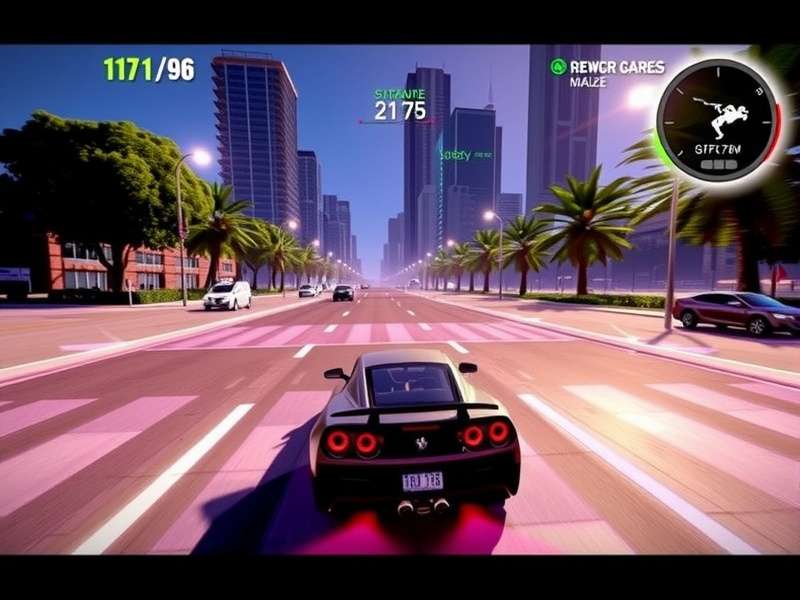
Step‑by‑Step Download & Installation
Contrary to popular belief, Asphalt 9 isn't natively available on Windows or macOS stores. The most reliable method is through BlueStacks 5 or Google Play Games for PC (beta). Here's the breakdown:
1. BlueStacks Route: Download BlueStacks 5 (the 64‑bit version). After installation, log into your Google account, search for Asphalt 9 Legends, and hit install. Allocate at least 4 CPU cores and 4GB RAM in BlueStacks settings for buttery performance.
2. Google Play Games (Beta): Currently available in select regions, this official Android‑on‑Windows platform offers superior integration. Search for it on the Microsoft Store, install, then get Asphalt 9 directly.
Wondering about mods? While some players seek out a Download Asphalt 9 Mod Apk, we strongly advise sticking to the official version to avoid bans and malware.
System Requirements: Can Your Laptop Handle It?
Asphalt 9 is deceptively demanding at max settings. Based on our testing:
- Minimum: Intel i3‑8th gen / Ryzen 3, Integrated Graphics, 8GB RAM, 5GB free storage.
- Recommended: Intel i5‑10th gen / Ryzen 5, GTX 1650 or equivalent, 16GB RAM, SSD storage.
- Ultra Settings: Intel i7 / Ryzen 7, RTX 3060 or better, 16GB+ RAM, NVMe SSD.
Pro‑tip: Enable VT‑x in your BIOS for a 30‑40% performance boost in BlueStacks.
Advanced Gameplay & Controls Mastery
Keyboard mapping is your secret weapon. Bind nitro to Space, drift to Shift, and use A/D for precise steering. The tactile feedback allows for shockwave nitro timing that's near‑impossible on touchscreen.
For a deep dive into techniques, check out our Asphalt 9 Legends Gameplay breakdown. It covers everything from perfect starts to barrel‑roll strategies.
Car Collection & Tuning Guide
With over 200 real hypercars, choosing your garage is crucial. The Bugatti Chiron and Lamborghini Egoista dominate top‑tier races. However, don't overlook the Asphalt 9 Legends Real Cars analysis for hidden gems like the Acura NSX (a king in B‑class).
Always use your tokens on Legend Pass and car hunts rather than random card packs – a lesson learned from our interview with top‑100 player "Velocity_Rider".
The Pulse of the Game: Soundtrack Deep Dive
The synth‑wave and EDM tracks aren't just background noise – they're timed to race phases. Tracks like Asphalt 9 Soundtrack Renegade peak during nitro bursts, subtly cueing your reflexes. For a complete list, the Asphalt 9 Soundtrack Wiki is exhaustive. Want to feel the vibe? Here's a fan‑made Asphalt 9 Soundtrack Be Like meme compilation that nails the culture.
Community Codes & Events
Active players can score free rewards via redeem codes. Follow Gameloft on socials for monthly drops. Our dedicated page for Asphalt 9 Codes Android is updated weekly. Also, don't miss limited‑time events like "Drive‑In" which offer exclusive car blueprints.
How Asphalt 9 Stacks Against Its Predecessors
While Asphalt 8 Airborne remains a classic, Asphalt 9's TouchDrive system and real‑time multiplayer represent a generational leap. For those seeking a different flavor, Asphalt Online offers a more arcade‑style MMO experience.
Curious about the airborne mechanics? See our comparison with Asphalt 9 Airborne (a common misnomer for Asphalt 8's signature feature).
📚 Further Reading
In conclusion, downloading Asphalt 9 on your laptop unlocks a superior racing experience. With the right setup and our insider tips, you'll be climbing the leaderboards in no time. Remember to keep your game updated for the latest cars and tracks. Happy racing! 🏁