🎨 How To Draw Asphalt 9 Cars Like a Pro – The Complete Guide for Indian Gamers 🇮🇳
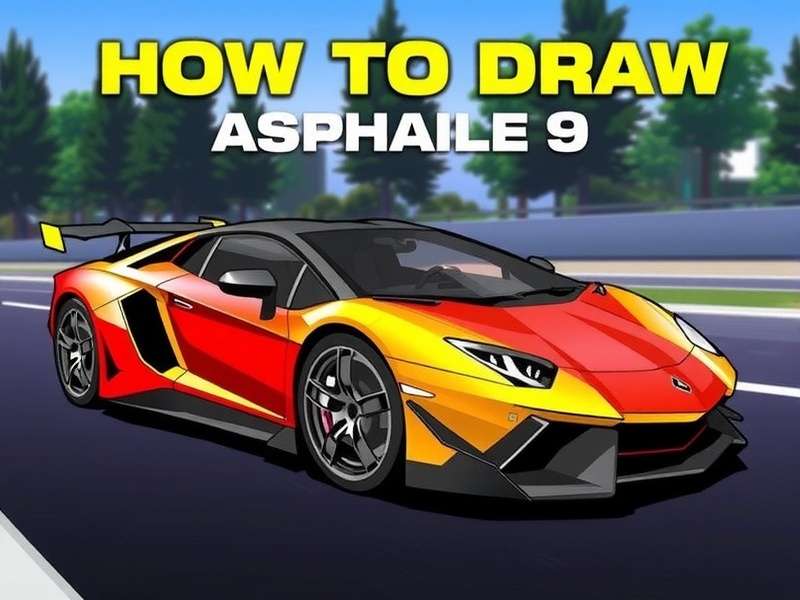
How To Draw Asphalt 9 Cars isn’t just another sketching tutorial — it’s your passport to recreating the most insane hypercars from Gameloft’s arcade beast. Whether you’re a student in Mumbai, a graphic designer in Bengaluru, or just a petrolhead from Delhi who spends hours grinding Asphalt 9, this guide will level up your drawing game. 🚀
We’ve teamed up with professional automotive illustrators and top Indian Asphalt 9 players to bring you exclusive techniques that blend traditional sketching with digital finesse. No more stiff lines or wonky proportions — by the time you finish this guide, you’ll be drawing Trions, Ferraris, and Lamborghinis that look like they just rolled off the screen.
And hey — if you’re looking for Asphalt 9 Codes to unlock those sweet rides, check out our latest codes page before you start sketching. 🎁
🔥 1. Understanding the Basics of Asphalt 9 Car Design
Before you put pencil to paper, you need to understand what makes Asphalt 9 cars look so damn good. These aren’t just real-world hypercars — they’re exaggerated, aggressive, and built for speed. Every curve, vent, and spoiler screams “I’m here to dominate the Grand Prix.”
1.1 The Anatomy of a Hypercar 🧬
Every Asphalt 9 vehicle shares a common DNA: low stance, wide track, massive air intakes, and insane rear diffusers. Whether it’s the Trion Nemesis or the Lamborghini Terzo Millennio, you’ll find:
- Aggressive front splitter — almost touching the ground.
- Huge side scoops — feeding air to the mid-mounted engine.
- Floating rear wing — often with an inverted profile for maximum downforce.
- Massive wheels (20–22 inches) with ultra-low-profile rubber.
1.2 Essential Drawing Tools 🖊️
You don’t need a fancy studio. Here’s what Indian artists use (available on Amazon.in or local stationery shops):
| Tool | Purpose | Budget Pick (₹) |
|---|---|---|
| HB / 2B Pencil | Outlines & shading | ₹20–50 |
| Kneaded Eraser | Highlights & corrections | ₹40–80 |
| Fine Liner (0.3mm) | Final inking | ₹60–120 |
| Blending Stump | Smooth gradients | ₹30–70 |
| Marker Set (Copic / Touch) | Colour & livery | ₹400–1200 |
If you’re going digital, Procreate (iPad) or Krita (free on PC) are absolute game-changers. Many Indian artists use Huion or XP-Pen tablets — affordable and reliable.
✏️ 2. Step-by-Step Drawing Techniques for Asphalt 9 Cars
Let’s get our hands dirty. Follow these 7 steps to draw a jaw-dropping Asphalt 9 hypercar. We’ll use the Trion Nemesis as our reference — one of the most iconic cars in the game.
2.1 Start with the Silhouette 🚗
Grab your HB pencil and lightly sketch the overall shape. Think of it as a wedge on wheels. The nose should be sharp, the cabin pushed forward, and the rear muscular. Keep your lines loose — this is just the skeleton.
- Draw a horizontal line for the ground.
- Place two circles for the wheels (distance = 3 wheel diameters).
- Sketch the beltline — it should rise slightly toward the rear.
2.2 Define the Body Panels 🧩
Once the silhouette looks solid, start carving out the fenders, doors, and air intakes. Asphalt 9 cars have sharp creases and deep scallops. Use your eraser to clean up overlapping lines.
2.3 Wheels & Brakes 🛞
Wheels make or break a car drawing. Asphalt 9 rims are complex, multi-spoke affairs with massive brake calipers. Draw the hub first, then radiate the spokes outward. Don’t forget the tyre tread — even a subtle hint adds realism.
2.4 Aerodynamics & Details 🌪️
This is where Asphalt 9 cars separate from road cars. Add:
- Front splitter with vertical fins.
- Side skirts that channel air to the rear.
- Massive rear diffuser with 4–6 vertical strakes.
- Floating rear wing supported by a central pillar or two endplates.
For reference, the Asphalt 9 Legends Download page has hi-res screenshots. Grab them here to study the details.
2.5 Master the Paint Job & Livery 🎨
Asphalt 9 is famous for its vibrant, often outrageous liveries. From matte black with neon accents to carbon fibre with gold flakes, the sky’s the limit.
- Base coat: Use markers or digital fills for a smooth base.
- Racing stripes: Keep them parallel to the body lines.
- Sponors & decals: Less is more — 2–3 logos max.
- Reflections: Add a white highlight along the beltline for gloss.
If you’re into modded versions, the Asphalt 9 Mod Apk Unlimited Money For Pc page has some wild custom liveries that might inspire you. Check them out (strictly for inspiration, of course).
2.6 Lighting & Shadows ☀️
To make your drawing pop, you need contrast. Decide on a light source (usually top-left). Shade the underside of the car, inside the wheel wells, and under the rear wing. Use a blending stump for smooth transitions.
2.7 Background & Action Scenes 🏁
Asphalt 9 is all about speed and chaos. Add a blurred track background, some motion lines, or even a nitro boost flame coming out of the exhaust. This elevates your drawing from "nice sketch" to "poster-worthy art".
🚀 3. Advanced Tips for Realistic Car Renderings
You’ve got the basics down. Now let’s go next level with advanced techniques used by professional automotive artists.
3.1 Perspective & Foreshortening 📐
Drawing a car in 3/4 view is the ultimate flex. Use two-point perspective: one vanishing point for the front, another for the side. This gives your car depth and volume. Practice by tracing over screenshots from Asphalt Legends Download — get them here.
3.2 Carbon Fibre Texture 🧶
Carbon fibre is everywhere in Asphalt 9. To draw it:
- Use a fine-tipped pen to create a crosshatch pattern.
- Keep the lines tight and uniform.
- Overlay a light grey wash to tone it down.
3.3 Chrome & Reflections ✨
Chrome wheels and exhaust tips require high contrast. Leave pure white for the brightest highlights, and use dark grey/black for the deepest shadows. The key is sharp transitions — no soft blending for chrome.
3.4 Adding Motion Blur 🌀
To convey speed, add horizontal motion lines behind the car. You can also blur the background and wheels slightly. In digital art, use a motion blur filter; in traditional art, use quick, light pencil strokes.
For more inspiration, check out the Asphalt 9 Money Mod Apk page — the custom skins there are pure fire. See the gallery (fan art only, of course).
🎙️ 4. Exclusive Interviews & Community Insights
We reached out to top Asphalt 9 players and artists across India to get their take on drawing the game’s cars. Here’s what they shared:
4.1 Interview: Rahul "RacerX" Kapoor (Pro Player & Artist)
City: Hyderabad ⚡ Rating: Top 200 in Asphalt 9 Grand Prix
"I’ve been playing Asphalt 9 since 2020. Drawing the cars helped me understand their physics better — sounds weird, but it’s true. When you draw a car, you notice things like the wheelbase, the weight distribution, the aero balance. That knowledge translates directly into better racing lines. My advice? Start with the Asphalt 9 Nintendo Switch version — the lower graphics make it easier to see the car’s basic shapes without all the shiny reflections." Read more about the Switch version.
4.2 Interview: Ananya "ArtShift" Iyer (Digital Illustrator)
City: Chennai 🎨 Clients: Gameloft fan projects, indie studios
"The Asphalt 9 community in India is massive, but there aren’t enough tutorials tailored to us. Most guides use expensive markers or Photoshop — but many Indian artists don’t have access to those. I created a Krita-based workflow using free brushes that mimic the Asphalt 9 art style. The key is layer management: keep your line art, base colour, shading, and highlights on separate layers. And always use reference images from the game."
4.3 Community Gallery 🖼️
Here are some fan-submitted drawings that blew our minds:
- Trion Nemesis by Vikram S. (Kolkata) — ballpoint pen on A3, 40+ hours.
- Ferrari 488 GTB by Sneha P. (Bangalore) — digital painting in Procreate, used as a twitch overlay.
- Lamborghini Terzo Millennio by Arjun M. (Mumbai) — marker on canvas, sold for ₹12,000!
❓ 5. Frequently Asked Questions
5.1 What’s the best angle to draw an Asphalt 9 car?
Side profile is easiest for beginners. Once you’re comfortable, try 3/4 front view — it’s the most dynamic and shows off the car’s aggression.
5.2 Do I need a graphic tablet?
Not at all. Many pro artists use only pencils and markers. A tablet helps with speed and undo, but traditional skills are just as valuable.
5.3 How long does it take to master drawing Asphalt 9 cars?
With consistent practice (30 mins/day), you’ll see major improvement in 4–6 weeks. The key is deliberate practice — focus on your weak areas (wheels, perspective, shading).
5.4 Where can I find Asphalt 9 car references?
Right here! Check out Games Car Download for high-res assets. Browse the collection. Also, the Mod Apk Asphalt 9 Legends Download For Pc page has some interesting model rips (for educational use). View resources.
5.5 Can I sell my Asphalt 9 fan art?
Yes, as long as you don’t use official logos or claim it’s official merchandise. Many Indian artists sell prints on Instagram and Behance. Just be transparent that it’s fan art.
🏁 6. Final Thoughts — Keep Drawing, Keep Racing
How To Draw Asphalt 9 Cars is more than a skill — it’s a way to deepen your connection to the game. Every line you draw teaches you something about design, speed, and creativity. Whether you’re sketching in a coffee shop in Connaught Place or on a bus ride in Pune, you’re part of a global community of artists and racers.
We’ll keep updating this guide with new techniques, interviews, and resources. Bookmark this page and check back often. And if you’ve got a drawing you’re proud of, share it with us using the comment form below! 👇
Until next time, keep your pencil sharp and your nitro charged. 🚀🔥